Getting started
Your dashboard
A guided tour of your cockpit: the key numbers, recent alerts, and analytics that show what is happening across your portfolio.
Open in PatentSecure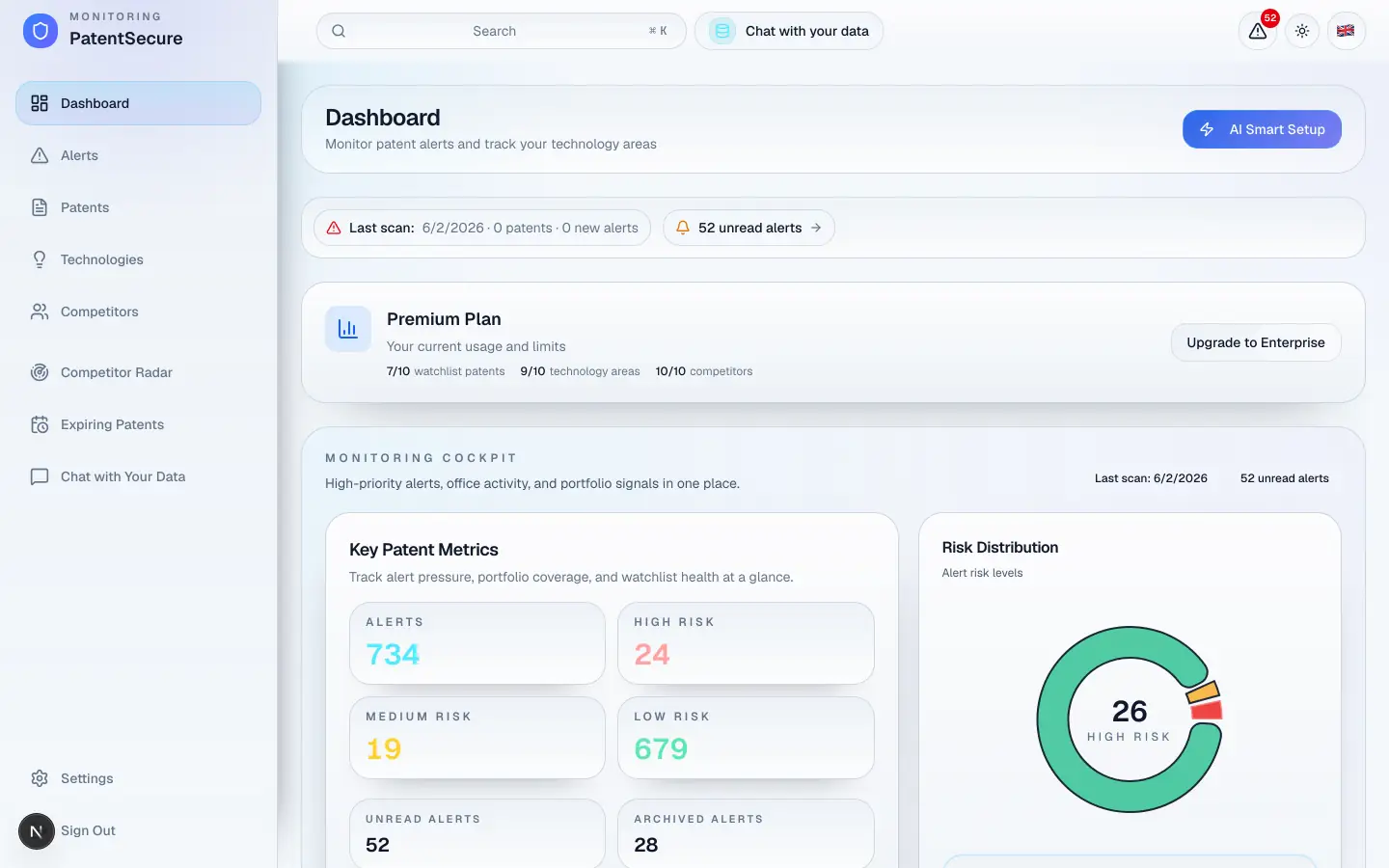
The dashboard is your home base in PatentSecure. It gives you a single, at-a-glance view of what's happening across everything you monitor — and quick links to dig deeper. This guide explains each part of the screen so you know where to look.
Getting around
On the left is the navigation menu. It's always available and takes you to every part of the app:
- Dashboard — the overview you're reading about here.
- Alerts — the patents the AI has flagged for you.
- Patents — your watchlist of patents and applications.
- Technologies — your monitored technology areas.
- Competitors — the companies you track.
- Competitor Radar — a dedicated view of competitor filings.
- Expiring Patents — a calendar of upcoming expiry dates.
- Chat with Your Data — ask questions about your portfolio.
- Settings — your account, subscription, notifications, and preferences.
The key numbers
At the top of the dashboard you'll see summary cards — for example, how many alerts you have, how many are high-risk, how many patents you're watching, and how many competitors you track. These give you the pulse of your account in seconds.
Recent activity
Below the numbers, the dashboard highlights your most recent alerts and patents so you can jump straight to anything new. Select any item to open its full detail.
Analytics
The dashboard also includes charts that help you see the bigger picture over time, such as:
- Risk distribution — how your matches break down into high, medium, and low risk.
- Alert and filing trends — how activity is changing over time.
- Patent-office activity and top technology areas — where the activity is concentrated.
First time here?
If your account is new, the dashboard shows a short Get started guide with three steps — Add Tech Areas, Add Competitors, and Fetch Patents — to help you begin. The quickest path of all is AI Smart Setup, covered in its own guide.
Numbers and charts update after each daily scan, so your dashboard always reflects the latest results.
PatentSecure provides decision support for your IP management and does not replace individual legal advice.
Ready to protect your innovation?
See PatentSecure on your own portfolio in a personal demo.
Contact sales