Monitoring
Patent watchlist
Add your own patents and pending applications, search them, and open the full detail view for any patent.
Open in PatentSecure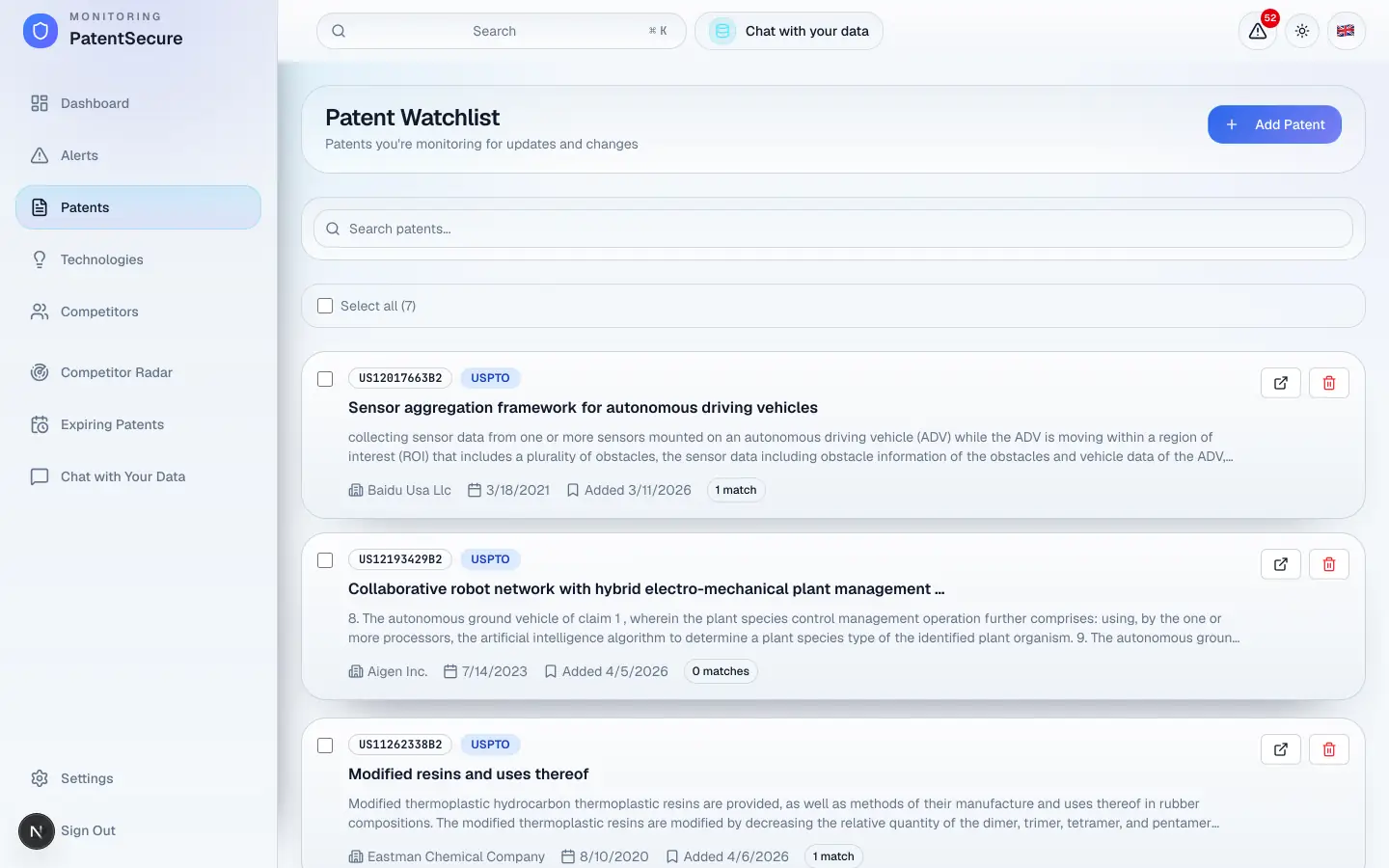
Your watchlist (shown as Patents in the menu) is where you keep the specific patents and applications you care about most — your own filings, a competitor's key patent, or anything you want compared against every new publication. PatentSecure continuously checks new filings for overlaps with the patents on your watchlist.
How to add a patent
- In the left menu, open Patents.
- Select Add Patent.
- Search for the patent — by its number, title, or keywords.
- Choose the right result and add it to your watchlist.
That's it. From the next scan onward, the patent is included in your monitoring and any overlapping new filings will appear in your Alerts.
Viewing a patent's details
Select any patent in your watchlist to open its detail view. There you can read its key information — number, title, abstract, assignee, and filing date — and use the AI to dig deeper (see the Chat with a patent guide).
To open the original record, use the link to Google Patents, which opens in a new tab.
Searching and managing your list
- Search — use the search box to filter your watchlist by patent number, title, abstract, assignee, or your own notes.
- Select multiple — tick the checkboxes to select several patents at once. Use Select all to select everything currently shown.
- Remove — remove a single patent with its trash icon, or remove several at once with Remove Selected. You'll be asked to confirm before anything is deleted.
Tip: Add your own patents and pending applications first. They're the most valuable things to monitor, because any new filing that overlaps with them is exactly what you want to catch early.
How matches appear
When a new patent overlaps with one on your watchlist, it shows up as an alert with the AI's analysis of the overlap. Each watchlist patent also shows how many alert matches it has, so you can see at a glance which of your patents are attracting activity.
Plan limits
Your subscription sets how many patents you can keep on your watchlist. You can review your usage any time in Settings → Subscription & Billing.
PatentSecure provides decision support for your IP management and does not replace individual legal advice.
Ready to protect your innovation?
See PatentSecure on your own portfolio in a personal demo.
Contact sales