Monitoring
Competitors
Track competitors by company name and website, with automatic alias matching so no filing slips through.
Open in PatentSecure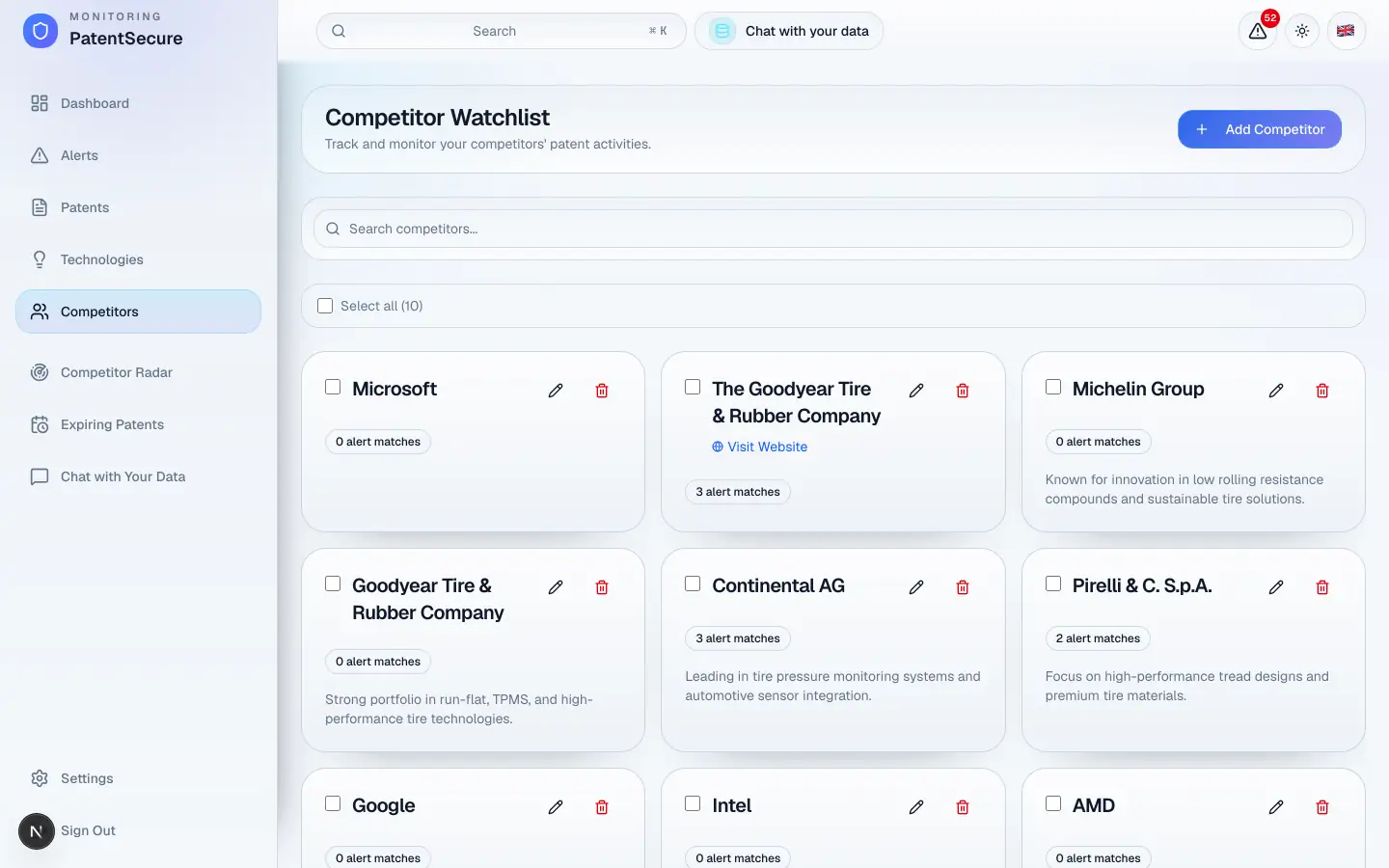
Tracking competitors lets PatentSecure watch specific companies for you. Once you add a competitor, the platform monitors their patent activity and flags new filings — so you always know when a rival is moving into your space or expanding their portfolio.
How to add a competitor
- In the left menu, open Competitors.
- Select Add Competitor.
- Enter the company name (for example, TechCorp Inc.).
- Optionally add the company's website and a short description.
- Save the competitor.
PatentSecure includes automatic alias matching, which recognizes a company's name variants and subsidiaries — so filings don't slip through just because they were filed under a slightly different name.
What you'll see for each competitor
- Patents — how many of their filings PatentSecure has matched.
- Recent patent activity — their latest filings at a glance.
- Alert matches — how many alerts relate to this competitor.
Select a competitor to view their details, or use Visit Website to open their site in a new tab.
Managing your competitor list
- Search — filter the list with the search box.
- Select and delete — tick the checkboxes to select competitors, then use Delete to remove them. You'll be asked to confirm; this can't be undone. Removing a competitor can also archive the alerts related to them.
Tip: Add both your direct competitors and the larger players in your field. Even companies you don't compete with directly can reveal where a whole market is heading.
Competitors vs. Competitor Radar
Adding competitors here powers two things: it feeds your regular Alerts (where competitor filings are analyzed for relevance to you), and it powers Competitor Radar — a dedicated view focused purely on competitor activity. The next guide covers Competitor Radar in detail.
Plan limits
Your subscription sets how many competitors you can track. You can check your usage any time in Settings → Subscription & Billing.
PatentSecure provides decision support for your IP management and does not replace individual legal advice.
Ready to protect your innovation?
See PatentSecure on your own portfolio in a personal demo.
Contact sales