AI intelligence
Chat with your data
Ask questions about your whole portfolio — alerts, competitors, and trends — in natural language.
Open in PatentSecure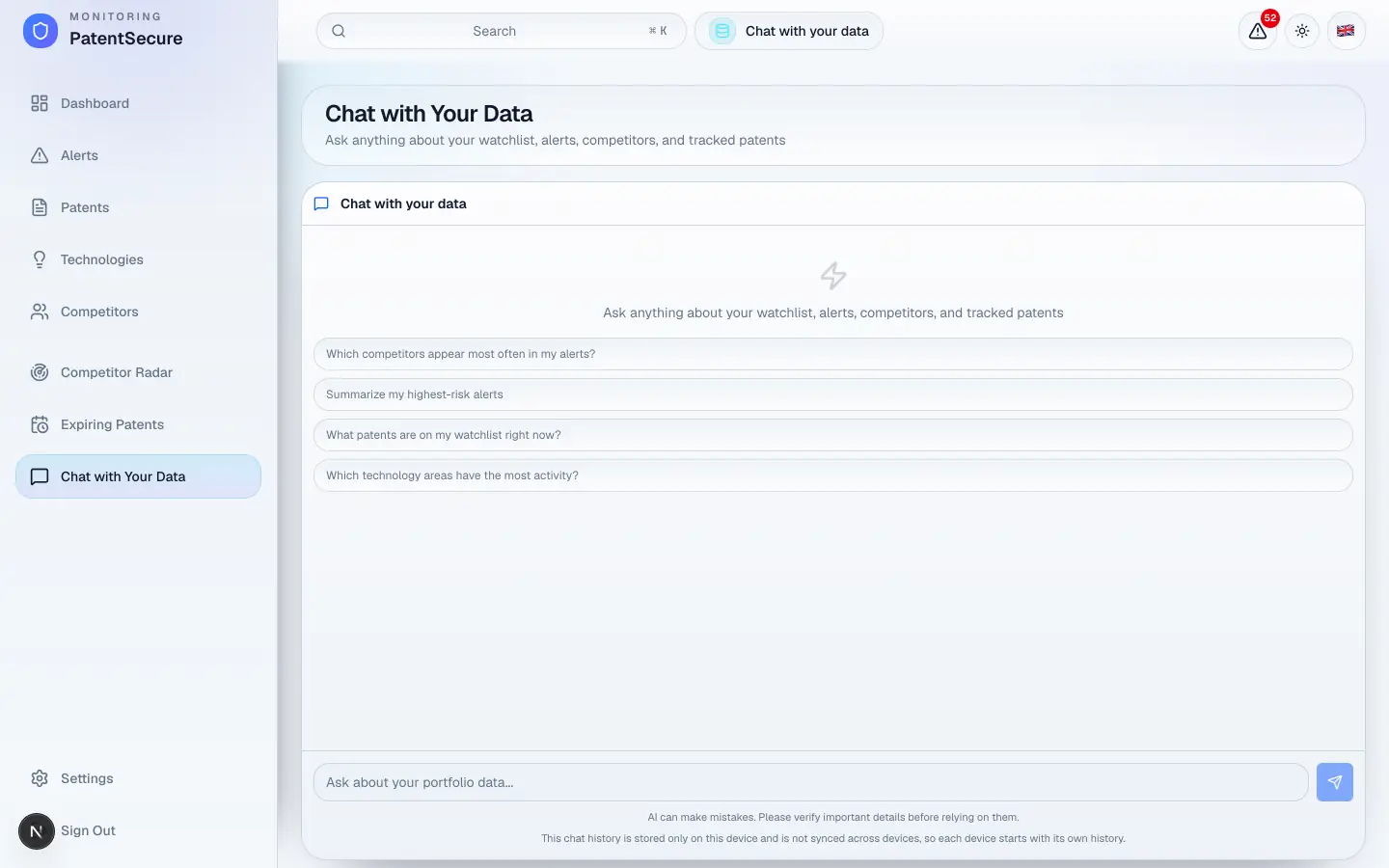
Where Chat with a patent answers questions about one patent, Chat with Your Data answers questions about your whole portfolio. Ask about your alerts, competitors, technology areas, and watchlist all at once — in plain language — and get insights without building reports or charts by hand.
How to use it
- In the left menu, open Chat with Your Data.
- Type a question about your portfolio, or pick one of the suggested quick questions.
- Read the answer, then ask follow-ups to go deeper.
Questions you can ask
The assistant is built for portfolio-level questions such as:
- “Which competitors appear most often in my alerts?”
- “Summarize my highest-risk alerts.”
- “What patents are on my watchlist right now?”
- “Which technology areas have the most activity?”
These shortcuts cover the most common questions, but you can ask anything about the data in your account.
What it can see
The assistant works only with the data in your own account — your watchlist, alerts, competitors, technology areas, and tracked patents. It does not reach outside your portfolio, and your data never leaves your account.
Your privacy and chat history
Your conversation history for this feature is stored only on the device you're using — it isn't synced across devices, so each device keeps its own history. You can clear the conversation at any time with Clear chat; you'll be asked to confirm.
AI can make mistakes. Please verify important details before relying on them — especially before making decisions based on a summary.
PatentSecure provides decision support for your IP management and does not replace individual legal advice.
Ready to protect your innovation?
See PatentSecure on your own portfolio in a personal demo.
Contact sales