Account & security
Account & settings
Manage your subscription, account details, notifications, and the patent offices you monitor.
Open in PatentSecure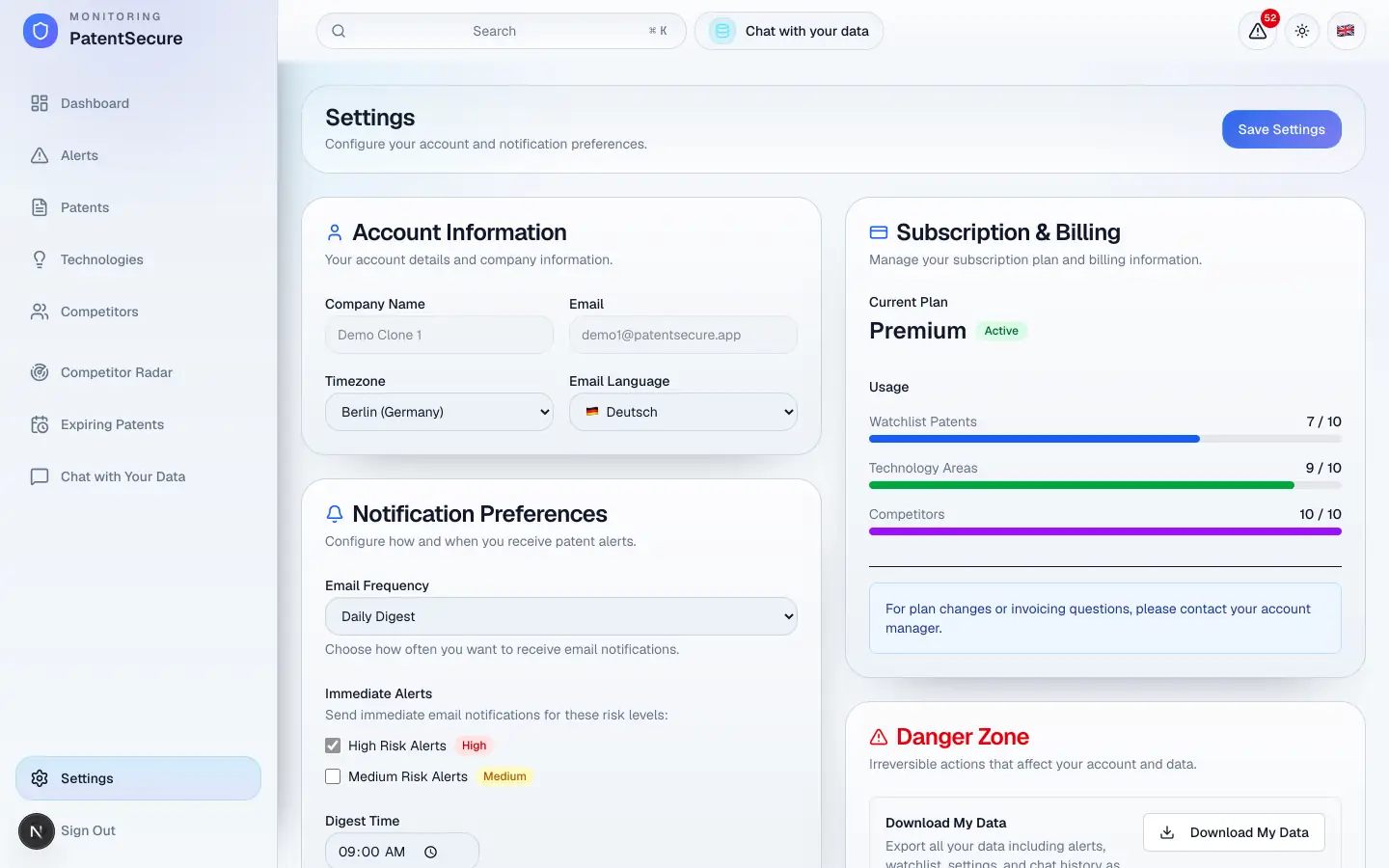
Settings is where you manage your account, your subscription, and how PatentSecure notifies you. Open it from the bottom of the left menu. This guide walks through each section.
Subscription & Billing
This section shows your current plan, its status, and your usage — how many watchlist patents, technology areas, and competitors you're using against your plan's limits. From here you can manage your subscription and manage billing and payment methods. If you'd like to discuss the right plan for your organization, you can also reach out to us directly.
Account Information
Here you'll find and update your account details:
- Company Name
- Timezone — used so scheduled emails arrive at the right local time.
- Email Language — the language your email notifications are written in.
Notification Preferences
Control how and when PatentSecure emails you:
- Email Frequency — choose Daily Digest (recommended), Weekly Digest, Immediate, or No Emails.
- Immediate Alerts — if you want to be emailed right away for the most serious matches, enable immediate alerts for High Risk and/or Medium Risk.
- Digest Time — the time of day your daily or weekly digest is sent, in your timezone.
Most users keep the Daily Digest — one clear summary each day after the overnight scan, with high-risk matches highlighted. Reserve immediate alerts for the risk levels you never want to wait on.
Patent Office Preferences
Choose which patent offices to monitor by default. Monitoring more regions gives you broader, more comprehensive coverage. Some offices are marked Coming Soon, and a few may require additional configuration — if an office you need isn't available, contact us.
Saving changes
After editing any section, select Save. You'll see a confirmation that your settings were saved.
Managing your data and account
The Danger Zone at the bottom of Settings lets you download all your data or delete your account. Because these actions affect your whole account, they're covered separately in the Privacy & security guide.
PatentSecure provides decision support for your IP management and does not replace individual legal advice.
Ready to protect your innovation?
See PatentSecure on your own portfolio in a personal demo.
Contact sales